
Sound files
Cabbage and Csound provide several ways of viewing and loading soundfiles. Cabbage provides two unique widgets for viewing sound files, while Csound provides a host of opcodes for reading files from disk, and/or those loaded to a buffer.
Viewing soundfiles in Cabbage
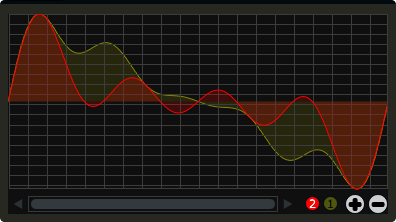
Cabbage provides gentable and soundfiler widgets for viewing sound files. The soundfiler widget is designed to quicky load audio samples. gentable on the other hand is used to
display data from a function table. It renders slower, but features more options on how to display the function table. As soundfiler is built specifically for displaying audio files, the rest of this text will deal with its
use.
To view a sound file add a soundfiler widget to your instrument. It uses a file() identifier to set the audio file to display.
soundfiler bounds(10, 10, 300, 200), file("../samples/test.wav")
To read this file in Csound we can use the diskin2 opcode.
instr 1
a1, a2 diskin2 "../samples/test.wav", 1, 0, 1
outs a1, a2
endin
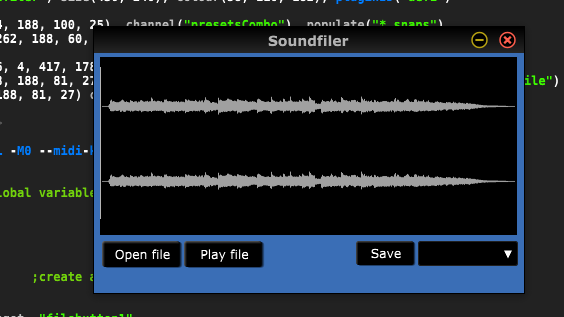
If you would like to dynamically load a sound file you can use a filebutton widget. You will also need to add an indentifier channel to your soundfiler widget. The following code will let the user browse
for a file when they hit the filebutton1 button.
instr 1
    gSfilepath  chnget  "filebutton1"
    kFileChanged changed gSfilepath

    if kFileChanged == 1 then                ; if user has requested a new file...
        event   "i", "LoadSoundFile", 0, 0   ; call instrument to update sample storage function table
    endif
instr 1 assigns a file name to the gSfilepath variable. The LoadSoundFile instrument reads this variable and loads the audio file to the soundfiler using an identifier channel named soundfiler1.
The code might look like this.
instr   LoadSoundFile   ; load sound file
    if filevalid(gSfilepath) == 1 then
        Smessage sprintfk "file(\"%s\")", gSfilepath            ; print sound file to viewer
        chnset Smessage, "soundfiler1"
    endif
endin